
Auto Dialer Software for Outbound Call Centers: Streamline Your Sales and Outreach
Why Do You Need Auto Dialer Software for Outbound Call Centers?
Do your customer service and sales agents spend significant hours dialling numbers, waiting on hold, or experiencing busy tones daily? They may need more time to provide better service, achieve outreach goals, or close deals. Automation is the best solution to save wasted time on repetitive processes. Enter Auto Dialer Software for Outbound Call Centers to reduce your team’s woes and make them available to focus on core competencies such as resolving customer issues and closing more deals. Companies can also use automated dialers to boost customer engagement and the bottom line. Let’s learn more about how this smart technology enhances outreach.
What is Auto Dialer Software for Outbound Call Centers?
This tool automates the dialling process, eliminating agents’ need to dial numbers for outbound calling. The automated dialer technology lets them focus on speaking to customers and managing complex interactions instead of manual dialing. It dials the number from the contact database, filters unproductive numbers like answering machines, busy signals, or disconnected calls, and connects the agent with only live calls. Meanwhile, customisable dialling modes like power, progressive, and predictive dialling drive better efficiency. Likewise, CRM integrations help your sales agents offer personalised interactions and quickly handle complex situations.
Four Distinct Dialing Modes of Auto Dialer System
- Predictive Dialer: It is the powerhouse to handle high-volume campaigns efficiently. A predictive dialer uses advanced algorithms to dial multiple numbers and can determine the agent’s availability. This way, your lead generation and sales teams can connect with maximum live leads and customers. Moreover, the predictive dialling mode is best for sales and marketing teams because it maximises their talk time and reduces idle time. You can leverage the potential of predictive dialling in situations where high connect rates and high call volume are essential.
- Power Dialer: This dialer balances personalisation and speed and works at a pre-set pace, considering the team’s requirements. Companies that want to maintain a steady or rapid pace of dialling and retain manual control over the dialing rate should choose this system. It lets your teams reach maximum contacts efficiently, allowing them to manage quality and quantity.
- Progressive Dialer: Sometimes, companies need precision and outreach that’s what the progressive dialer is designed for. When an agent completes the previous call, it automatically dials the next number in the list, maintaining a call-to-agent ratio of 1:1. Meanwhile, the progressive mode is highly useful for personalised campaigns to ensure a smooth and manageable workflow. Allowing quality communication during each call maintains the balance between personalisation and efficiency.
- Preview Dialer: A preview dialling mode slows down the dialling pace, enabling agents to view leads or customer information before placing the call and stay prepared for the interaction. This dialer is highly beneficial for managing complex sales scenarios where in-depth analysis of lead or client information can increase the quality of interaction. Sales and marketing teams that deal with complex situations can improve the quality of interaction using a preview dialer.
How Does An Auto Dialing System Work?
The VoIP auto dialer System automatically initiates calls from the contact database. The main goal is to connect your sales and marketing agents with maximum prospects. Your teams can select the dialling mode considering their unique campaign needs. Moreover, it can filter out busy tones, unproductive numbers, and voicemails. Skipping such elements speeds up the live call connect rate and saves your agents time, which they can invest in managing important tasks. Meanwhile, automation of the dialling process allows you to maintain certain productivity levels.

What are the Advantages of the Auto Dialing System?
1. Increase Agent Performance & Productivity
An automated dialing system streamlines the entire dialing procedure, reducing agent idle time and increasing talk time. Your sales reps can spend more time providing quality conversations and less time on repetitive manual tasks. They can invest their efforts and energy in engaging with qualified leads and existing customers. Moreover, your agents can handle high call volumes in less time with a better call-connect ratio.
2. Enhances Operational Efficiencies
Eliminating manual dialling increases operational efficiencies and maximises agent performance. The increased call-connect ratio due to the auto-dialer reduces your team’s idle time so they can easily focus on converting leads. This technology can detect non-serviceable numbers and reduce various other restraints like call drops, misdealing, or wait time. It routes only connected calls to the most available agents, which leads to higher chances of conversions. Integrating dialer technology with other business tools and evaluating key performance metrics also contribute to increased operational performance.
3. Improves Lead Conversion Ratio
Implementing Cloud Call Center outbound Solutions to manage complex sales processes like high-value leads brings agility to your outbound calling campaigns. For instance, predictive dialling mode offers a quick overview of customer information before placing calls. It lets agents stay prepared for the interaction and deliver a personalised experience or skip the call. When leads feel valued, this increases the lead conversion chances.
4. Facilitate Running Multiple Campaigns
Auto dialling systems contain helpful features that empower companies to run and manage multiple sales and marketing campaigns efficiently. They automate and streamline outbound calling processes that lead to efficient management of outreach efforts. Managers and supervisory staff can create reports based on real-time insights and monitor the performance of individual sales and marketing campaigns.
Top Auto Dialers in the Market
Nextiva is a cloud-based dialer with VoIP system integration capabilities. This dialer supports various dialling modes like predictive, power, and preview dialling and is famous for its customisable and scalability features. Another popular communication and collaboration solution is RingCentra, which also uses cloud technology and offers workforce automation and management. Five9 also supports various dialling modes, easily integrates with CRM and is customisable. Aircall is famous for seamless integration, ease of use, and helpdesk tools. You should select the system that suits your outbound calling campaigns.
Concluding Remarks
Ultimately, a Lead generation dialer Call center Software is an efficient tool to reduce your agent’s idle time, offer personalised service, and improve lead conversion rate. The high call connect rate ensures that you achieve your outbound campaign goals faster by improving the lead conversion ratio. If you need a reliable and top auto-dialling system to drive efficiency and productivity, contact CherryBerry UCM to enhance outreach with reliable smart dialling technology.

10 Proven Call Center Strategies for Immediate Success
How Call Center Strategies Can Help Your Business Grow?
Today, customers are not limited to purchasing products and services but demand perfection in their experiences. The process involves a lot of effort, still, it is critical to retain existing customers. This is not because it is cheaper than gaining new ones but because repeat purchases improve your business’s bottom line. Happy and satisfied customers buy more products, leave positive reviews, and refer your product to others. Thus, you need to provide exceptional customer experience to keep them loyal. Let’s delve deep into top Call Center Strategies and proven tactics to handle customer interactions and turn them into the strongest brand advocates, ultimately ensuring immediate success.
1. Start with Creating Your Talented Team
Your customer service experience should be perfect to keep customers satisfied. To achieve this feat, you should employ talented teams aware of your company’s culture and values. During hiring processes, call centres can test if candidates can fit your business culture or are good listeners, skilled negotiators, problem solvers, or critical thinkers. Inner motivation and a positive attitude in your dream team can help maintain cheerful customers. Meanwhile, empathy and social intelligence motivate your customer service agent to help customers efficiently after understanding their concerns. Additionally, customer support managers should be resolution masters and experts in monitoring to ensure the quality of services.
2. Concentrate on Training Agents
Once you have built your dream team, the next strategy is providing them with coaching software to bring out their full potential. You should involve your old and new team members in regular training sessions and offer a complex overview of their positions. People prefer to avoid speaking with rude agents, so your agents should treat every customer patiently. Likewise, if they are excellent communicators, active listeners, sympathetic, sincere, or persuasive, they can easily satisfy their customers.
3. Invest in The Right Call Center System
Technological advancements have enhanced the efficiency of business operations and enabled smooth workflows. Thus, investing in the right call centre technology ensures an Inbound call handling System experience. Switching your call centre operations to the latest solutions automates routine, repetitive tasks and increases the performance of your customer service, sales, and marketing teams. For instance, call center software has call forwarding, interactive voice response, call routing, and CRM integration capabilities. All these features contribute to benefit your call centre operations. Likewise, VoIP telephony is a cost-efficient and reliable solution that facilitates remote working and reduces maintenance hassles.

4. Call Center Strategies: Offer Personalised Experience
Ensuring a good customer service experience means to strengthen and boost stronger relationships. Your customers feel satisfied when your agents handle them in a personal manner. This is why personalisation is a significant part of your customer service strategy. For instance, by accessing past interactions through CRM integrations, your agents can understand their customers’ needs and provide them with instant solutions.
5. Facilitate Remote Working to Enhance Efficiency
Many call centres use advanced cloud solutions and VoIP technology to facilitate remote working. It allows them to hire the best professional agents from a global talent pool regardless of their time zones and physical locations. This further helps them keep their business operations running around the clock as your teams can operate from non-traditional office premises. Meanwhile, professional agents are equipped with the latest knowledge and skills, so employing them enhances your campaign performance.
6. Offer Multiple Communication Channels
Businesses should not wait for customers to find them. It does not matter for customers as they have countless options to purchase products and services and have become more demanding than ever. You should focus on offering multi-channel communication so customers can easily reach you. For instance, if your target audience is on Twitter or Facebook, you should show your active support there. You can communicate through email, live chat, messaging, or social media. You can even enable your customers to self-service their problems instead of speaking to an agent.
7. Monitor KPIs & Measure the Right Data as Part of Efficient Call Center Strategies
You should have accurate business data that offers actionable insights, like whether the information is relevant or will lead to precise action. Firstly, decide what matters most or is pertinent to your business and then establish KPIs (key performance indicators) to measure your success. This will provide an instant overview of your customer service teams’ performance. Average queue time, first-call resolution, and average abandonment rate are important KPIs that ensure you are on the right track.
8. Welcome Complaints & Feedback
Welcoming negative feedback or complaints may seem a weird strategy, but call centers can respond well to negative reviews to improve brand image. For instance, if you are on the right track, complaints allow you to address customer issues publically and access free market research data. Moreover, face the criticism instead of hiding or ignoring it, and accept your failure through compensation. Resolve all problems quickly and stop their repetition to enhance service quality.
9. Publish Helpful Content Like FAQs or Tutorials
Your customer service teams answer many basic questions regularly. Adding the FAQ section reduces the call volume and wait times. Likewise, call centers can also create helpful tutorials regarding product updates or renewals. This step-by-step guidance can enable your customers to resolve low-level problems themselves without talking to your customer service agent. It will also free up your agent’s time, which they can invest in handling other important tasks.
10. Leverage Effective Call Scripts
Call centers have recorded conversation data, some of which are successful conversations, and a few that fail to close deals. You can analyse your successful and unsuccessful call data to get important information. For instance, you can create personalised scripts based on successful calls and avoid the things that lead to definite failure. You can use these compelling scripts to train your new agents and enable them to handle complex calls efficiently.
Closing Thoughts
Indeed, running a successful call centre is challenging due to heightened customer expectations. Companies can increase their productivity, team performance, and overall customer experience by implementing successful Best Call Center Strategies in Lahore. Are you looking to move your customer service strategy toward perfection? CherryBerry UCM is here to support you throughout the process. Contact our experts for assistance in managing your call center operations efficiently and with immediate success.
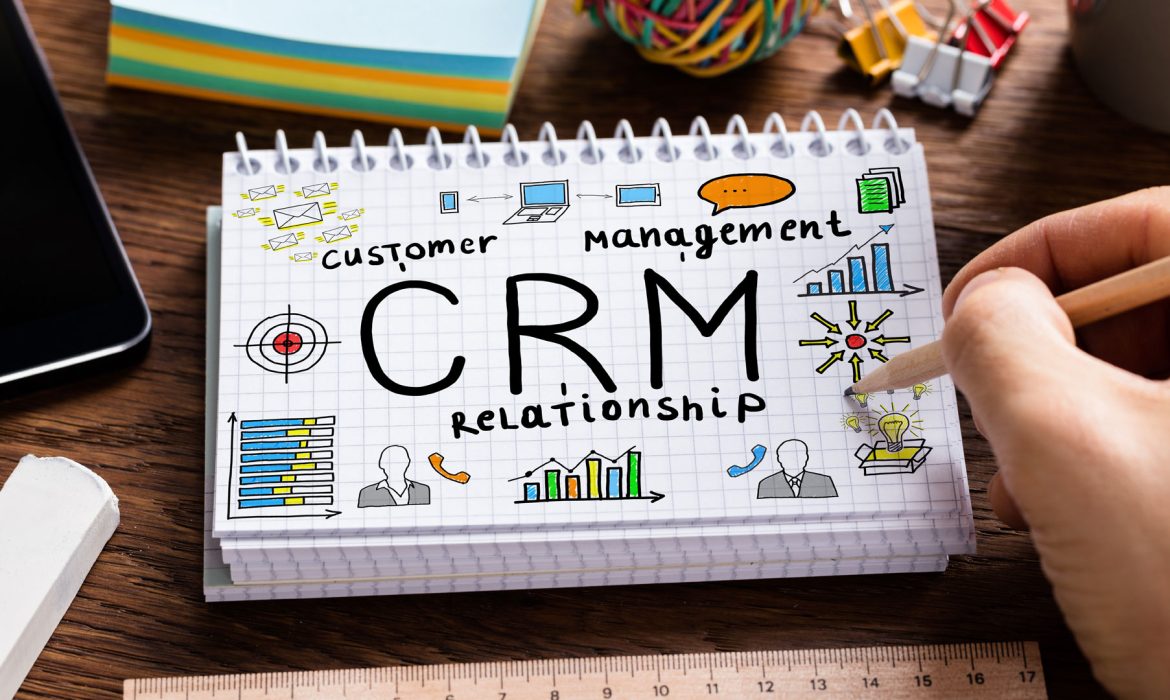
Top-Tier Tactics for Thriving Customer Relationship Management
Why is Customer Relationship Management Important?
Dealing with a diverse customer base is challenging, as a business is nothing without its customers. Moreover, keeping the existing customers is cheaper than acquiring new ones. However, loyalty is difficult to measure, define, and achieve. It may take years to design process Customer Relationship Management Systems, perfect tools, or establish a top-tier team to maintain customer trust and satisfaction, especially management of high-value and high-risk customers or those in between. A can enable you to manage your business and meet each customer’s unique needs. After discussing the basics, dive deeper into the tactics to streamline resource allocation and enhance personalization.
What is Customer Relationship Management?
It can be described as a set of practices and processes to manage your business relationships with customers. Meanwhile, it also includes every interaction between a business and its existing or potential customers, starting with the brand’s first interaction. Tracking leads, sales, and opportunities, managing and organising past communications, establishing strategies, and running effective marketing campaigns are all part of building stronger relationships beyond focusing on offering personalised interactions and understanding customer needs. It also means building customer trust and loyalty in your business to make them feel valued and recognised at every touchpoint.
How Can A CRM System Streamline Customer Relationships?
In the business world, a CRM system is computer software that is a fundamental sales and marketing tool for businesses. Global CRM market revenue on the CRM market was 25% in 2018. Beyond being used as a technology or system, it can also be taken as a business approach to keep customers in view while making business decisions. CRM solutions as a tool automate your sales and marketing processes, help manage and organize business data from all sources, and streamline your business relationships. Your sales and marketing teams can run personalised campaigns to increase sales.

How to Measure the Efficiency of Personalized CRM?
Personalised interactions strengthen customers’ bonds with a business, leading to repeated business. Meanwhile, it also reduces the chance of missing opportunities. By understanding customers’ unique preferences throughout the journey, you can act immediately to avoid losing sales, which leads to impactful customer interaction. In addition, you can hardly improve your CRM efforts if you cannot measure them, so track the following metrics.
- Net Promoter Score: Companies can evaluate customer loyalty and satisfaction by asking how likely they will suggest or recommend your products or services to others.
- Customer Retention Rate: You can also track customer engagement and loyalty within a specific period. It also means that a higher retention rate shows effective personalisation.
- Conversion Rates: After running personalised campaigns, sales and monitoring teams can evaluate the percentage of leads converting into sales opportunities or regular customers.
- Customer Lifetime Value: CLV is another important strategy that evaluates the total revenue a customer can bring to your business over its lifetime. High CLV rates mean that your personalisation strategies are working.
- Feedback & Surveys: Your teams can also directly ask customers about their experience with your brand. This will further give you insights into your strategies and areas needing improvement.
- Engagement Metrics: Businesses can evaluate the duration, frequency and depth of interaction on their digital platforms. Additionally, more engagement indicates effective personalisation.
- Revenue Tracking: It is important to track revenue from customer segments because your CRM is effective if personalised segments show progress.
- Churn Rate: Companies should examine how many customers have left their business, as a lower churn rate is a positive indication for your business.
Top Tactics to Improve Customer Relationship Management with CRM System
1. Track Customer Interaction & Behaviour
Knowing your audience is the most important thing about a good sales and marketing strategy. An effective CRM system can help you understand how prospects and customers find your service or products and interact online. It allows you to collect significant data about new and potential customers and know them much better.
2. Offer Loyalty & Reward Programs
Many successful businesses or big corporations offer rewards or cash-back programs to promote customer loyalty. For instance, you can give your customers a discount on a product and ask for their review to make the customer experience perfect. Moreover, introducing a digital currency can motivate customers to collect digital points after making a purchase. This will further encourage them to return.
3. Run Tailored & Targeted Marketing Campaigns
To improve your customers’ behaviour and interactions, you should start by implementing the first strategy. Once you achieve that goal, you must become more proactive and utilise this data to run targeted marketing campaigns. You can create effective customer relationship marketing campaigns through personalised emails and customer segmentation.
4. Cleaning & Deduplication of Business Data for Enhanced Marketing
You should ensure your teams communicate smoothly while interacting with customers. A little mistake can harm your business. Luckily, you can avoid common mistakes by investing in the right tool. For instance, a CRM system can unify all your data into a single system to avoid duplication. Meanwhile, it lets you easily manage, cleanse or regulate data, benefiting from up-to-date information.
5. Prepare Detailed Reports on the Customer Base
CRM system lets you get detailed internal and external reports on your business performance. It is an efficient way to understand business health and campaign performance. You can also export and use your business data whenever and wherever needed. This data also helps align your sales and marketing efforts so you can easily understand personal and professional relationships.
6. Ensure Collaboration & Customer Service Integration Through Automated Tools
Another important thing to consider is team collaboration. Your teams should work in cooperation to achieve common business goals. This close collaboration is critical to improving the customer service experience. Digital tools like CRM automate various tasks and ensure optimal performance.
Final Thoughts
Suppose you visit your favourite café with a barista; remember your name and what you like to eat. That’s the power of personalised service that keeps customers intact and loyal to a brand. Customer relationship management follows the same principle, recognising the significance of high-value customers and their unique preferences. Thus, businesses need to apply top tactics to keep customers coming back. CherryBerry UCM can help you as a reliable service partner to enhance personalisation. Contact us today to overcome the challenge of maintaining strong relationships.

Hosted PBX: The Definitive Guide to Everything You Need to Know
Why Invest in Hosted PBX Systems?
The global PBX market has experienced significant growth in recent years, especially after drastic changes in business communication needs. This is why Hosted PBX Systems are becoming more prevalent to maintain agile communication and facilitate remote working. Increased reliability, advanced features, cost efficiency, and greater flexibility encourage companies to move from legacy phone systems to hosted solutions. Gone are the days when businesses made large initial investments in equipment and maintenance. Now, they can optimise their business internal and external communication and enhance operational efficiency without compromising service quality. Let’s learn everything about these valuable systems.
What are Hosted PBX Systems?
To learn about the functionality of advanced hosted systems, legacy systems must be studied. A telephone network that a company uses to communicate internally or externally is an example of a PBX. Another terminology, ‘on-premises’, is commonly used for PBX, which refers to the hardware placed inside the office premises. Hosted systems offer the same features and services as on-premises PBX with little difference in the installation. These systems work in the cloud, which means you don’t need any hardware in the office, reducing installation and maintenance hassle as third-party service providers maintain all this off-site, providing you with connection and other benefits.
How Do Hosted Systems Work?
They use a cloud infrastructure wherein all phone calls are handled on the IP network. Traditional PBX systems transfer the voice traffic over PSTN (Public Switched Telephone Network). Meanwhile, the latest systems are powered by the internet (VoIP), and hybrid systems (a combination of both) are also making their place in the market. Hosted systems enable your employees to make and receive calls over the internet through softphones or IP-enabled devices. Cloud-based Hosted service providers keep the servers in their place and allow companies to benefit from the service without worrying about upgrades and maintenance.
How Hosted Systems Are Different from Traditional PBX Systems?
- Traditional PBX: On-premises or analogue systems are examples of conventional PBX systems. Usually, these systems run on physical hardware like copper phone wires in the office. The main difference between legacy and the latest systems is in the way they work. Legacy systems connect to PSTN or analogue phone lines, while advanced VoIP systems send voice data using broadband connections. Likewise, they offer limited calling features and fewer integration options. Additionally, hosted systems are quicker and easier to scale than legacy systems. Conventional PBX also requires high initial set-up costs and expert IT staff for maintenance.
- Hosted Systems: The service providers maintain the complete infrastructure of hosted systems. They manage updates, upgrades, maintenance, and tech support while companies only pay subscription fees to access the features. These systems need an active internet connection to transmit voice data. Increased flexibility, cost-effectiveness, and effortless scalability are a few benefits that have made cloud PBX solutions popular for all-sized businesses. Meanwhile, you only pay for the features you use, leading to significant cost savings.
Why Some Businesses Still Prefer Traditional PBX Systems?
These systems suit established and larger companies than small or medium-sized companies. For instance, larger or established businesses have professional IT teams to manage maintenance or extra office duties. Meanwhile, they also have enough budget to manage setup and infrastructure costs. Traditional systems are also viable options for those businesses that employ only in-house teams and want more control over their data. Moreover, some companies fear change, so they stay with the legacy system. However, change has become inevitable to facilitate remote work and save costs.
What are the Advantages of Hosted Phone Systems?
1. Give Access to Advanced Features
You have limited features and a basic business phone system if you still use a traditional one. For instance, you can transfer calls to other extensions or benefit from hold, mute, and speed dial. Investing in Cloud PBX solutions gives you access to enterprise-level phone system features like conference calling, automatic call recording, auto attendant, multi-level IVR, call routing, and reporting and analytics.
2. Offer Better Scalability & Flexibility
Another important benefit of hosted systems is that they are more flexible and scalable than traditional PBX systems. This is specifically true regarding integration capability with other tools and apps, you can easily integrate a virtual PBX system with third-party solutions CRM systems. It helps automate workflows and streamline business communication. Moreover, you can quickly add numbers and users by requesting additional capacity from the service provider. Conversely, adding new lines is time-consuming and expensive in the traditional system.
3. Requires Less to No Maintenance
The biggest challenge of the traditional system is maintenance. Businesses have to maintain the entire system themselves. That means you should have an expert IT team to manage maintenance hassles and other technical issues. On the other hand, your hosted PBX service provider is responsible for managing system upgrades, maintenance, and technical issues off-site.
4. Facilitates Remote Working
Hosted systems are cost-efficient and reliable solutions. As remote working has become an important aspect of the job, companies can hire team members to work remotely from anywhere without being tied to an office location. You can connect your in-house and remote teams through the internet connection, which is particularly beneficial for companies with a distributed workforce. They can collaborate on company issues to stay on the same page.
Do Companies Need Any Equipment to Set Up Hosted Systems?
You just need a broadband internet connection, compatible handsets, and a router to set up hosted systems. It is also essential to know how many extensions you need. Moreover, you can upgrade your current internet supply for higher bandwidth and faster speeds. Cloud availability and lack of equipment are appealing factors for investing in hosted systems. You can manage your business with an internet connection and handsets. Meanwhile, your service provider will set up all equipment and manage your needs off-site.
Closing Thoughts
Finally, it is clear now that modern businesses are evolving towards more flexible and scalable solutions. Thus, companies should choose phone systems that grow with their business needs. Implementing VoIP IP PBX Systems Services is a cost-efficient solution, but selecting the right system that aligns with your needs is also essential. Get CherryBerry UCM expert guidance to access a reliable system to achieve your business communication goals.
PartyCasino: Play Casino Games App
Whether you prefer strategy, speed, or entertainment, our live tables are the best mobile casino you can find. Play live dealer games on iOS with instant access to professional dealers, fast-paced action, and big multipliers. CoinPoker offers massive casino action with over 2,000 games, and we constantly release new titles. CoinPoker has the best casino app for iPhone and iPad in 2026, available instantly in your Safari or Chrome browser.
I’ve observed that this helps games load faster and facilitates smoother gameplay. You’ll see a preview of the sweepstakes casino’s logo and name. While on the homepage of the sweepstakes casino, tap the Share button at the bottom center of your screen. Type in the full URL of the sweepstakes casino, and wait for the page to load.
Based on my experience, almost all platforms support this, especially thenew sweeps casinos. Once you’ve found the right iPhone casino app, tapGetto begin the download. Use the search bar at the top and type in the name of the sweepstakes casino. Last but not least, make sure you can actually use the free iPhone casino app and redeem prizes from your location. However, you can redeem real prizes with SC, so it’s worth picking games that make satisfying the requirements easier. Meanwhile, blackjack and roulette are essential for table and live dealer games.
Bonuses, hundreds of Slots, Roulette, Blackjack and plenty more Live Casino games to sink your teeth into. If you want a more interactive session, visit our Live Game shows, Live Roulette, Live Baccarat, Live Poker and Live Blackjack tables.Some of our best Slots games include Lock O’ The Irish Fun Drops 2, Big Bass Vegas Double Down Deluxe and Fishin’ Frenzy Even Bigger Fish. Tap into PartyCasino for the best Slots and Live Casino games.
- Suppose you’re in an unsupported state; you may still be able to install the app, sign up, and play games.
- Without question, downloading applications on iPhones is straightforward.
- Your best options are sweepstakes casinos, where you can play using bonus virtual currencies.
- CrownCoins Casino and RealPrize offer dedicated iOS apps, while Android users can access the sites via progressive web apps.
- This game is incredibly simple to learn and offers clear chances for quick wins.
Head to our lobby and explore a full range of slots and table games to suit your mood. With instant browser access and fast loading, it’s the ultimate pick-up-and-play casino game for iPhone users. The action is streamed live in stunning HD, guaranteeing smooth gameplay, multiple camera angles, and professional croupiers. Play action-packed live dealer and digital Roulette games on iPhone. Choose from hundreds of games and themes, for as little as $0.10, from classic reels to feature-packed video slots.
Upon registration, we found access to over 700 casino-style games, including a broad selection of slots, a few table games, and live game shows. You can download the sweepstakes casino app from the Google Play Store or the Apple App Store. During our search for the latest top sweepstakes casino app, we found that the best options were offered by McLuck, CrownCoins Casino, and RealPrize. For this reason, we carried out in-depth research to identify the most engaging new sweeps casino apps worth trying.
- With the best casino apps for iPhone on my list, you can play using Gold Coins and Sweepstakes Coins, and not traditional money.
- Since iOS is proprietary, you can only download an iPhone casino app via the Apple App Store.
- Some of the best ones I played during my review include Vegas No Limit Wins, Thunder Coins Hold and Win, and 6 Jokers.
- In my opinion, at least 500+ iPhone casino games of different categories will do the job.
- Yes, you can play directly in your iPhone or iPad browser on CoinPoker without downloading any app.
We identified some of the most engaging sweepstakes casino apps at McLuck, CrownCoins Casino, and RealPrize. McLuck, CrownCoins Casino, and RealPrize rank among the leading online sweepstakes casinos, offering some of the best mobile app options. The experience is the same, but iPhone casino apps offer the added convenience of playing anytime, anywhere.
Will Apple Pay charge fees to deposit at online casinos?
Games like Blackjack and low-volatility slots generally feature the highest RTPs, clearly displayed on CoinPoker. Yes, iOS allows licensed and regulated gambling apps that meet Apple’s compliance standards. You can enjoy simple controls, smooth gameplay with clear visuals, and potentially massive prizes.
WESOPRO IPTV Player
You simply visit the casino’s website, log in, and start playing. Think of them as a mini-casino, perfectly optimized for your mobile device. Casino apps are essentially dedicated applications you download and install on your smartphone or tablet. The choice really comes down to personal preference and what you value most in your gaming experience. If you have no access to the site’s mobile app, click your browser’s “Add to home screen” feature to install the progressive web app. Available live game shows include Adventures Beyond Wonderland, Buffalo Blitz Live, and Mega Party.
As one of the world’s leading real money online casino apps for iPhone, we must take your safety seriously. From time to time, sweepstakes casino apps get updated to fix bugs, improve performance, and add new features. The best sweepstakes casino apps often allow you to turn on biometric login. This not only applies to sweepstakes platforms but also to the best real money casino apps for iPhone. Most iPhone sweepstakes casino apps range between 100MB and 250MB. Most modernsweepstakes casino appsare designed for iOS 14 or later, although some are compatible with iOS 12 and earlier versions.
Interestingly, the sweepstakes casino offers slots, table games, instant wins, and live dealer titles. I analyzed several sweepstakes https://www.sankracasino.org.uk/ casino apps for iPhone based on several quality criteria. Click the banners on this page to visit your preferred online sweepstakes casino and enjoy its mobile gaming experience.
For license details, explore Play today on Slots for real money prizes! There are hundreds of slot machines and Roulette tables for you to play on – using your Casino Bonus of course! Connect with experienced brokers specialising in buying and selling properties throughout California
Conclusion – Play on the go with top-rated iPhone sweepstakes casino apps
We’re excited to announce the launch of Words With Friends, a next-generation take on the world’s most popular mobile word game today on the App Store for iPhone and iPad and on Google Play for Android devices. Test your skill in one of the most immersive, free slot machine games to come out of the Seven Kingdoms. New games and more inside! Unlike on Android, you can’t install iOS apps from any third-party source, like a website.
Jackpot Winner Casino Slots
Top social casino brands in the US indeed offer apps for iPhones, or a responsive website for Safari at the very least. Withdrawals to Apple Pay are typically processed via your linked debit card and can take 1–3 business days after casino approval. Many major US online casinos accept Apple Pay, including BetMGM, Caesars Palace, bet365, BetRivers, FanDuel, Fanatics, and DraftKings. Social or Sweepstakes casinos are a popular option in states where real-money gambling is not allowed. Some U.S. online casinos support Apple Pay withdrawals, but many do not. PartyCasino offers a variety of gambling games.
With a global player pool, tables are open constantly, so you can take your seat and play your best hand. Play Poker on iOS and get access to real competition and tested RNG. Choose from classic and speed variants with stakes to suit every player, from as low as $0.10 up to $10,000. Step into the elegance of iPhone live dealer Baccarat on CoinPoker. With clearly displayed odds and a history of recent spins, you can quickly find and lock in your winning number.
I had fun with a number of slots during my review, including Cleopatra Secrets, Panda Fortune, Sugar Rush, and Joker’s Jewels. As such, I didn’t have to make any initial purchase to start playing. Signing up on the Real Prize Casino app gave me a welcome bonus of 100,000 Gold Coins and 2 Sweepstakes Coins. In the United States, more players use iOS devices than Android. However, your linked bank card or financial institution may apply fees, especially if you use a credit card. BetMGM is often considered the top choice for Apple Pay users due to its wide game selection, strong reputation, and generous welcome bonuses.
Keep in mind that only players who meet the minimum age requirement and reside in an eligible state can play casino-style games on these apps. CoinPoker is the best iPhone casino app, offering fast crypto payments, high-quality games, and a seamless, download-free experience. Yes, iOS casino apps are legal in the United States, although it depends on your location.
Your best options are sweepstakes casinos, where you can play using bonus virtual currencies. The best iPhone casino games with high-quality graphics or real-time features like live dealers can use up a lot of data quickly. You can sign up or log in if you already have an account, and start playing your favorite online casino games for iPhone. Suppose you’re in an unsupported state; you may still be able to install the app, sign up, and play games.
You might not want to install an iPhone app to play social casino games. Then, you can start playing the live dealer titles and 1,700+ other games, including slots and jackpots. This free entertainment app features a vast selection of over 2,500 games, including classic slots, poker, and arcade favorites, providing a well-rounded gaming experience. One of the first decisions you’ll face is whether to play through a casino app or directly in your web browser.
PartyCasino: Play Casino Games
IPhone and iPad players collect a 150% Welcome Bonus and 100 Free Spins on every deposit of $10 or more. Everything players want, like security and fairness, is right here. On iPhones or iPads, opening our browser casino and placing bets is a breeze.
We’ll break down the pros and cons, making sure you’re well-equipped to dive in and enjoy yourself responsibly. Whatever the reason, you’re probably wondering how to get started. RealPrize offers new players 100,000 Gold Coins and 2 Sweepstakes Coins as a no-purchase welcome bonus. However, if you are using an Android device, you can install the progressive web app through your browser’s “Add to home screen” feature for easier access. The app also features exclusive titles such as Spinning Crowns, Crown Coins Knockout, and CrownCoins Diamonds of Liberty. Some of the slot titles we played include Starburst, 3 Hot Chili Peppers, and Cash Pig 2.
CrownCoins Casino offers an iOS app, while Android users can install a progressive web app for convenient on-the-go access. It ultimately came down to these three based on their game selection, bonuses, and overall intuitiveness. CoinPoker is the world’s fastest-growing poker room, built for players, trusted by pros. You always stay in complete control of your account and gaming experience.
Unlocking Superior Customer Service with CRM: Proven Strategies for Success
What is Customer Service with CRM?
The magic business formula to make every customer feel like your favourite one lies in offering a personalised customer experience. This is only possible when all your business will be well managed and organised so you can achieve your business goals keeping your customers happy and satisfied. Customer Service with CRM is not only great for your customers, but it is also a game-changer solution for your business. CRM systems give you a unified view of customer data and offer actionable insights to win and retain more customers. Let’s delve deep into the best-proven strategies to get the most out of your CRM system.
Define Your Goals for Customer Service with CRM
Firstly, a business should define clear goals (specific, measurable, achievable, relevant & time-bound) where it stands now and where improvements are required. You should know what your business will achieve with a customer relationship management system. For instance, a few common goals are to increase sales in the next quarter, improve customer satisfaction score by 12% and maximise customer retention. CRM improves visibility to customer data so you can access a more targeted audience to achieve sales goals. Likewise, you can provide tailored customer interactions to increase customer retention. Meanwhile, timely resolutions and personalised interactions with CRM data can help enhance customer satisfaction scores.
Embrace Technology for Effective Customer Service with CRM
At present, CRM has become an essential tool for enterprises to keep track of customer interactions and information. It enables your sales, customer service and marketing teams to treat each client/customer personally and meet their needs efficiently. Businesses can also leverage the potential of chatbots and virtual assistants that offer round-the-clock support and answer general questions. Moreover, through social media monitoring, companies can see customers’ online reviews and promptly respond to their concerns with timely support. This way, they can create smoother and more efficient experiences for their valued customers.
Customer Experience & Feedback Solution
Reviewing customer feedback is a great tactic to improve customer service experience. You can collect real-time customer feedback and use these valuable insights to create a constant improvement cycle. This will further help to address customer concerns or suggestions promptly while real magic happens when you use customer feedback to bring meaningful improvements in services, products and processes. Moreover, personalisation is crucial to leave a lasting impression and improve business relationships. CRM can also be used as a future predicting tool to assist your teams with customer preferences beforehand.
Training & Development of Your Teams
Another important strategy for superior customer service is offering thorough training programs. This will educate your staff including customer support, sales and marketing teams on how to use the CRM system efficiently. Training and development programs also ensure that support and resources remain available to address customer questions and challenges your teams face. Meanwhile, role-specific training sessions give them insights into the functionalities related to their responsibilities. User manuals, video tutorials and online courses increase your team’s performance and equip them with the skills and confidence needed to meet customer expectations.
Simplify User Interface & Foster A Culture of Data Quality
You must invest in a CRM technology that contains a user-friendly and easy-to-navigate interface. Companies can avoid unnecessary steps and streamline workflows to make their system more efficient. For instance, some CRMs have customisation facilities to let you design a user interface with a clear layout, easily accessible features and logical navigation. Likewise, minimising steps or many clicks to perform certain tasks can streamline workflows. Meanwhile, companies must also emphasise data consistency and accuracy in the CRM system. They can encourage teams to regularly update customer information and take ownership of their data entry. Accurate data improves decision-making and overall success.
Synchronising CRM With Project Management
Streamlining communication among sales, marketing and customer service teams is critical to stay on the same page about business matters. You can integrate a CRM system with project management tools to increase operational performance. This synchronisation seamlessly connects your project details and customer data offering a detailed view of project status and client information. It also lets your team members access client historical records, deadlines and project requirements in one place. Businesses can benefit from a unified approach to engage clients and execute projects for a more proactive and organised workflow. You can review and adjust integration for consistent improvement.
Improve Resolution Time & Project Competence
A faster response time and first call resolution rate are essential to maintain a competitive edge. Your customer service teams can streamline communication and address customer needs promptly and with greater accuracy through CRM. This ensures everything runs smoothly improving customer service and project competence. Meanwhile, a well-integrated CRM system also promotes real-time collaboration among your teams, which is necessary for enhanced service delivery and timely adjustment. In addition, personalised interactions using CRM data make your customer feel valued. All this leads to business excellence and maintaining customer loyalty.
Make The Right Choice While Choosing CRM System
Whether aiming to improve client engagement or increase your business sales performance, selecting the right CRM system is essential to streamline customer service operations and personalised interactions through tailored strategies. You should choose the CRM system that aligns with your unique business needs and workflows. This system automates various tasks and helps with lead tracking and conversion. Doing so ensures your customers get support whenever they need it. This superpower for managing customer flow also leads to a more satisfied customer experience. It is especially critical for enterprises where every customer interaction matters.
Final Takeaways
Customer Service with CRM is a smart move for small and established companies looking to provide an enhanced customer service experience. The right CRM system for your business is the one that fits your current requirements and scales with your needs. Adaptability and personalisation can be your forefront selection criteria for achieving your customer relationship goals. By applying the strategies mentioned above, your teams can transform customer service operations. Ready to invest and leverage the latest CRM tools to streamline your customer data? Contact CherryBerry UCM to get the right tool to start achieving the benefits.

The Advantages of Implementing an Automated Calling System for Your Business
How Automated Calling Systems Improve Your Calling Operations?
Are your sales and marketing teams still initiating outbound calls manually? If so, do you know they spend significant time dialling and experiencing unproductive numbers? What if you make thousands of calls daily to achieve specific goals? With this rate, a company would depend heavily on many agents to scale. Thankfully, the Automated Calling System can address many of these woes. Your teams can invest this valuable time in perfecting the sales process and closing more deals. Let’s delve deep into the benefits of this technology, but start with the basics.
What is an Automated Calling System?
This innovative business software automates phone calls and answers inbound calls. Moreover, it allows you to make outbound calls without call centre agents or deliver customised voice messages. You can use an auto-calling system to schedule or record voice and video conference calls, making it an ideal communication solution for businesses. Meanwhile, companies can place hundreds, even thousands of calls or send prerecorded messages in one go to leads, prospects, and customers through this software that automatically interacts with humans. These systems have become quite popular nowadays and do not need a huge investment or technical team. Automated systems can also send emergency messages or event reminders to the entire contact list.
What are Different Calling Systems?
The difference depends on whether a business makes or receives customer calls. These systems are basically of three types: inbound, outbound, and hybrid auto-calling solutions.
1. Outbound Calling Systems
These automated phone calling systems are specified to automate sales call processes. They can be cold calls – which customers didn’t expect or a follow-up call already scheduled and expected. For instance, the power dialling mode lets you dial numbers from the contact list automatically. Likewise, a click-to-call feature dials the number by clicking the button, leveling up your outbound calling automation process.
2. Automated Inbound Calling System
When customers or prospects are curious about your products or services and place calls, it is called an inbound call. Automated systems for inbound calling enable you to manage incoming calls efficiently, guide customers through recorded messages around the clock, or increase response time.
3. Hybrid Auto Calling Systems
What if you get the calling system that offers the best of both worlds? This is what hybrid automated systems are designed for. For instance, many CRMs automate both inbound and outbound calling processes. They can divert inbound calls to better sales reps, improve your sales, and track customer concerns at any point in the sales process.
How Do Automated Systems Work?
The automated system contains features that support inbound calling operations and outbound call management. Companies can record customised and unique audio messages considering customer pain points. Callers can choose their desired menu options to resolve their issues quickly. The automatic callback option enables customers to request a return call from the sales rep at a later time. However, the auto messaging system makes a call and plays a recorded message or connects the caller to an agent after detecting a human voice. Integrating CRM with custom phone menu systems also allows lead segmenting, scoring, and tracking.
Which Features Enhance The Efficiency of Auto Calling Software?
- Customisable Caller ID: This feature allows you to customise your caller ID after verifying your phone number. It will help your customers know about your business.
- Personalized Business Greetings: Companies can create customised greetings showing their brand image to welcome each caller.
- Voice Messages Broadcasting: Automated systems work without agents, empowering businesses to make bulk calls to the entire connect list to convey messages.
- Call Scheduling: Your teams can schedule each outbound call by setting a particular date and time to achieve their campaign goals.
- Voicemail Detection: VoIP Auto-calling software automatically replays the message after detecting a voicemail and answering machine. It routes only connected calls to agents.
- Voicemail to Text: Sometimes, the number may not have a voicemail option. In this case, the system automatically sends the text message.
- Automated Answering Services: Businesses can also record customised messages, keeping in view common customer preferences for the quick resolution of issues.
- Routing Rules: Companies can set routing rules based on help desk or CRM data. It lets them provide seamless customer service and benefit from automated lead distribution. Time-based routing considers working hours, while skill-based routing follows agent scores.
- Advanced Features: Many advanced features streamline the process of inbound and outbound calling. They include video conferencing, call and meeting recording, real-time transcriptions, automated callback, surveys, and call transfers.
- Real-Time Reporting: The live dashboard in the automated system with real-time reporting and monitoring support provides companies with useful insights. They can evaluate agent performance, average response time, and more.
Benefits of Using Auto Calling For Your Business
If you are confused about whether automated calling is effective for your business, these points may help you make the right decision.
1. Create Your Business Professional Image
It is important to note that customer interaction with agents is a deciding factor for success, as it can ruin your customer experience. An overwhelming routine can create problematic situations. Automated systems like IVR allow customers to self-service or route to live agents for complicated issues. It contributes to increasing your business’s professional image and brand reputation.
2. Cost-Efficient Solution
Automation of initial calling and callback reduces the demand for call centre agents. Hiring multiple agents to manage bulk incoming and outgoing call volume requires high financial costs. This includes recruitment costs, training costs, salaries, etc. Thus, investing in an automated system is a wise decision for modern enterprises.
3. Support Round-the-clock Support
You may receive hundreds or even thousands of incoming calls every day, which may consume your team time. Directing and filtering calls manually can also lead to increased hold times and leave customers unhappy. Auto-attendant and IVR ensure round-the-clock service.
4. Improves Business Communication
Companies can also utilise the potential of this system to streamline communication and collaboration among their teams. Likewise, they can answer customer queries through pre-recorded messages. Customers can also route themselves to live agents to resolve complex problems.
5. Lead Nurturing
The ACD feature in the automated system allows sales and marketing teams to follow up seamlessly and maximise conversion rates. They can generate detailed reports and integrate the system with other apps to increase performance.
Final Thoughts
Indeed, an Automated Calling Service in Lahore is what you need to improve your business communication either with your team or your customers. However, the selection of the right system can be tricky, as you should choose the one that is reliable and affordable. CherryBerry UCM can provide you with expert assistance in choosing a versatile system. Contact us right away to benefit from advanced technological solutions to streamline business communication.

Boosting Agent Productivity with the Power of Auto Dialers
Importance of Auto Dialers for Call Centers
Whether working in sales, marketing, or customer service departments, call centre agents are considered the frontline soldiers in many industries. Their performance directly impacts your service quality, business productivity, and overall growth. They are expected to prepare a list of numbers to call and dial them. Sometimes, the call connects at the first attempt; mostly, they have to listen to busy tones, leave voicemails, or experience disconnected calls, even several times. It could be more productive and easier for your agents if these mundane tasks are already done. Don’t stress out about hiring extra staff; just leave this manual work on Auto Dialers.
What are Auto Dialers?
Auto dialers bring efficiency in all aspects of outbound calling, from dialling to screening out unproductive calls like disconnected calls, answering machines, and busy signals. This system automates the dialling process to help your sales and marketing agents. Upon connecting with the right person, the system automatically plays an IVR or transfers the call to the most available agent. Moreover, outbound calls are the best choice to manage large outbound campaigns. Likewise, using an auto-dialer for outbound calling eliminates the need to manually dial each number from the contact list, increasing efficiency. Additionally, it automatically keeps calling the numbers from the list in sequence without manual intervention.
How Does an Auto Dialing System Work?
The cost of a simple auto dialling system is economical while it is also effortless to install. You need four things to set up a basic system: a voice modem, software, and a headset. The main use of a voice modem is to record or play audio on a phone line, while a desktop computer can facilitate two to four internal modem cards with each connected to one phone line. It also means that if you have more modems, your computer can be used to make more phone calls at once. Additionally, Auto-dialling Systems are also connected to VoIP or PSTN.
How Voice Detection Technology Improves Efficiency?
The voice detection feature in this software can detect human voices or answering machines. When the system places a call, and it is picked up within 25 seconds or four rings, the chances of encountering an answering machine are higher. Upon connecting, the software analyzes the first spoken word. For instance, when a human answers the call, the initial response contains short words followed by a break. The software transfers the call to the available agent or plays a pre-recorded message. Meanwhile, when it detects unproductive numbers, the system automatically skips such elements and moves on to the next call, saving your agent’s idle time.
How is an Auto Dialing System Beneficial For Your Business?
1. Time-Saving Solution
Every minute matters in business today, as time is money. Outbound campaigns are time-bound, but manual dialling takes time, while unattended calls also waste your agent’s time. Auto-dialling systems automate the entire dialling process from a predefined list and do not connect unattended calls (answering machines, busy tones, or unserviceable numbers) to the agents. Moreover, the system automatically detects the available agent during peak hours, reducing missed calls.
2. Increases Agent Talk Time
Another benefit of auto-dialling software is reducing idle time. When a customer answers a call, the system connects it to the available sales rep. Meanwhile, with an Automated Call center auto dialer , they can invest their time and energy in converting more leads into loyal customers. This ultimately increases productivity and they can get maximum business benefits.
3. Facilitate Better Lead Conversions
Auto dialling systems understand the role of time in communicating your brand message, allowing you to change the time of messages based on recipient working hours, time zones, and availability. When customers receive the message at the right time, they can better think about your products and services.
4. Allow Running Multiple Marketing Campaigns
Companies can run multiple marketing campaigns and monitor individual campaigns with auto-dialers. They can easily track the number of missed, attended, and ignored calls. This information allows you to make better decisions about your outbound calling campaigns.
5. Promote Real-Time Monitoring
These systems not only track sales and marketing campaigns but also monitor live calls. They record outbound calls, allowing companies to view the record to measure your agent’s performance. Moreover, business administration can understand their customer’ needs and identify improvement or coaching needs. New agents can use this data to understand the nature of their jobs.
Which Dialing Mode is Best For Your Teams?
Different auto-dialling systems help you achieve different outbound campaign tasks, from improving lead conversion rates to agent productivity. Here are a few common auto-dialling modes available:
1. Preview Dialer
They provide the data of the next lead or customer in the outbound calling list before dialling the number. Once your sales or marketing agents end a previous call, they can check the customer or lead detail to decide whether to contact or skip this number. This way, your agents have enough time to prepare for the interaction and ensure conversion with personalised conversation. Moreover, it is incredibly useful for your teams to deal with sensitive cases regularly.
2. Voice Broadcasting
Using this dialer, companies can deliver prerecorded voice messages to multiple recipients in just one go. They can utilize this dialer for customer surveys, emergency notifications, and reminders. Likewise, service-oriented businesses like banks can inform customers about downtime or automate payment reminder processes.
3. Progressive Dialer
It works like a preview dialer by providing agents access to customer information before each call. Besides automating the dialling process, the progressive dialer automatically dials the next number in the list once the previous call ends. However, agents can’t skip any call while utilising the progressive dialling mode. Still, the system detects and filters unproductive numbers and moves on to the next number.
4. Predictive Dialer
Investing in a predictive dialling system is a great choice to take your agent’s efficiency to a new level. It dials several calls at once, but don’t worry; your agent doesn’t have to handle more than one call. This is because it can predict the agent’s availability for the next call. However, it does not give agents time to read customer information, so it may not be suitable for complex calls.
Wrapping Up
Dialling numbers manually is tiring, stressful, and time-consuming. Suppose a solution that weeds out answering machines, busy signals, or invalid numbers without disturbing agents and connects only answered calls to the agents. Sounds great? The Best Auto dialer services in Lahore allow agents to invest their efforts in making campaigns successful instead of waiting idly for connecting calls. Need a reliable auto-dialling system for your call centre? Don’t forget to contact CherryBerry UCM for expert assistance.

5 Signs Your Business Needs An Outbound Call Center Software
Why is Outbound Call Center Software Important?
Nowadays, it becomes hard to stand out in a competitive industry where customer experience decides your success. Meanwhile, outbound calling has become essential to business processes, allowing companies to expand their customer base to increase sales. This significantly increases the success rate of your sales and marketing campaigns. However, outdated, inefficient, and costly software adds negative value to your business, so you should have advanced, highly efficient, and affordable Outbound Call Center Software to streamline your outbound communication.
What is Outbound Call Center Software?
It is a cloud-based solution that enables companies to reach prospects and customers easily. For instance, companies have to call leads for telemarketing, market research, fundraising, sales, surveying, and other purposes of outbound call centre operations. Outbound calling software automates various business tasks, while its advanced features, including call recording, reporting, scripting, and monitoring, streamline outbound calling processes. It also helps your sales and marketing teams reach prospects and customers in the least amount of time, lower idle time, and increase customer satisfaction rate. Reaching more customers or prospects means more conversions and revenue.
Important Features of Outbound Software to Enhance the Efficiency of the Sales Team
1. Number Masking
Confidentiality or privacy is one of the most important concerns of your prospects and customers. You can use a number-masking feature to connect with prospects or customers without revealing both identities. It prevents unsupervised conversation or misuse of information.
2. Agentless Auto Messaging
Companies can easily set up automated messaging campaigns like order tracking, appointment confirmation, etc. and send it to the number list to achieve set goals. It frees up your agents’ time, which they can invest in other core activities, leading to enhanced call center efficiency.
3. Remotely Accessible Solution
Cloud functionality makes your Outbound Calling Services Providers for in-house and remote teams. They can deploy and access IVR applications easily. You can even continue your outbound calling processes during emergencies and disruptions without the risk of losing important business data.
4. CRM Integration
You can increase the efficiency of outbound calling campaigns by integrating software with CRM and closing more sales deals. Your sales and marketing teams can access lead or prospect contact information on a dashboard, view interaction history, stay updated about the contact’s stage in the sales funnel, and close deals fast.
5. Scheduled Callback
Outbound calling systems reduce the call abandonment rate, increasing customer satisfaction with scheduled callback features. For instance, if a prospect or customer misses a call, the system records the numbers and dials them automatically to connect customers with agents later. It helps in closing sales deals faster and increases productivity.
6. Multiple Dialling Modes
This feature is especially helpful for call centers that need help with the challenges of low pick-up rates. It allows calling multiple numbers per sales rep, keeping in view the pick-up rate of customers and lower call abandonment rate.
What’s More to Expect From an Outbound Calling System?
7. Call Scripting
Call centres can provide compelling scripts to guide agents through sales and lead nurturing processes. This saves administration time training new agents, increases the first-call resolution rate, and improves customer satisfaction scores. Likewise, automated answers to particular requests can ensure better interaction with minimal training.
8. Call Barging & Whispering
These two features are highly effective in maintaining the Cloud-based outbound call solution. Your agents may need supervisory assistance during complex interactions or sensitive situations. At that time, a long hold or wait time may cause frustration for your client. Call barging and whispering enable supervisors to enter into a conversation or secretly whisper to agents during live calls to provide timely assistance.
9. Multiple Campaign Capabilities
The outbound calling system allows your sales reps to manage multiple campaigns simultaneously. They can automatically resume unfinished campaigns the next day without any issues. Similarly, they can use different auto-dialling modes to make their campaigns successful. For instance, they can use preview dialling to view client information before initiating the call if they are dealing with sensitive interactions. Likewise, if their task is to reach the maximum number of customers, they can use predictive dialling mode.
5 Signs/Reasons Your Teams Need Outbound Calling Software
1. Automate & Streamline Activities
You should consider investing in outbound software to automate outbound calling processes or run smooth operations. For instance, the power dialling function in the software can automatically dial the next number in the list. The software lets your team prioritise each call in the queue based on customer information or urgency. Likewise, it also arranges calls back for clients and moves that call on top at the scheduled times so you can’t miss any leads.
2. Reduce Idle Time
Manual dialling is time-consuming and also contributes to your agent’s idle time. For example, your sales reps engage in non-productive tasks during conversations, but outbound calling software automates repetitive tasks. It automatically connects the agents with new calls as soon as they end previous calls, leading to enhanced efficiency and productivity.
3. Improves Lead Conversation Ratio
Another sign that you should leverage outbound call centre solutions in your business is an enhanced lead conversion rate. The lead conversion rate is the percentage of prospects your agents connect and convert to. Outbound calling software ensures you connect with each prospect on time or schedule a callback to complete your campaign goals.
4. Cost-Efficient Solution
Besides increasing agent and operational efficiency, call centre software also ensures the efficient use of resources. It is a less expensive solution that carries out all operations like lead generation or lead conversion in a systematic manner. Thus, this cost-efficient system should be considered for the optimisation of resources.
5. Enable Your Sales Team to Focus on Core Aspects
Pre-sales or prospecting takes significant time for your team. Outbound calling software automates various tasks of your sales and marketing campaigns, allowing them to focus on what they do best – converting prospects into paying customers.
Closing Thoughts
Outbound call management services can be overwhelming, so to keep up with outbound calling, you need extra help like Outbound Call Center Software. This technology has become a need of the hour due to its lower operational and maintenance costs. However, selecting the right, affordable, and advanced software among multiple options can take time and effort. Don’t forget to contact CherryBerry UCM to find the best one!

10 Successful Call Center Strategies to Implement Today
Which Call Center Strategies Can Add Value to Your Business?
There are many reasons why customers are frustrated while contacting call centres or an established business helpline. This is because they want to avoid confusing phone menus, long hold or wait times, or repetitive explanations. Meanwhile, things are more challenging on the agents’ end tool. High call volume, poor management, and outdated systems force them to leave. In addition, the administration has to make significant investments to ensure efficiency in customer service and sales processes. Despite these frustrations, you can overcome all these issues with effective Call Center Strategies. Here are 10 important strategies that can help your call center business thrive.
1. Prioritise Hiring The Best Call Centre Teams (Agents Or Managers)
The first strategy for a successful call centre is hiring the best and most talented staff (customer service, support, sales and marketing teams, managers, and supervisory team). Call center agents should have excellent communication and problem-solving skills and must be patient, empathetic, and active listeners. Keep these qualities in view while screening your agents so they can satisfy your inbound and outbound customer needs. Likewise, competent managers can help you oversee routine operations, ensuring your agents achieve their goals and maintain high performance. They should have good communication, leadership, and analytical skills.
2. Invest in The Advanced & Best Call Center Software
Another strategy to make every inbound and outbound campaign successful is to access an advanced and reliable call centre system. This is because manual processes and high call volumes overwhelm your agents, while long hold or wait times can frustrate your customers. Having reliable call center technology assists you in tracking customer satisfaction levels and agent performance. Likewise, virtual call centre solutions can reduce overhead costs, eliminating the need for establishing physical call centres. Meanwhile, advanced tools ranging from omnichannel communication and automation technologies to CRM systems or AI-driven chatbots allow your teams to use their time efficiently to provide a better overall experience.
3. Monitor Performance Metrics
The third strategy to improve call centre performance is monitoring performance metrics. Call center systems allow you to track and analyze metrics like wait times, call handle time, call volume, or call resolution rates. These metrics help companies identify improvement needs in their customer service, sales, or marketing processes and adjust accordingly to increase sales. They can also learn how their teams perform by monitoring the right information. These insights also enable them to identify coaching or training needs, allocate resources more efficiently, and improve overall service quality.

4. Promote Team Accountability & Positive Tone Culture
The call centre administration must ensure that each team member performs their role best to achieve common business goals and takes responsibility for their actions. It will increase employee engagement and improve customer interactions. Similarly, using positive language and tones during interactions develops a supportive environment. Your teams can offer exceptional services and manage sensitive situations effortlessly. Call centres can reward their high-performance employees or give constructive feedback to improve their performance. Likewise, ensuring all customer interactions are managed professionally, respectfully, and efficiently to satisfy customers is critical.
5. Call Center Strategies: Set Clear Goals & Objectives
This strategy involves identifying the goals and objectives of call centers, like whether you want to increase sales per hour or reduce wait times. Meanwhile, the process also includes setting goals at the agent, call center, and team levels. These different levels enable companies to increase sales, promote engagement, and improve overall customer service experience. Your teams can easily track results, explore improvement needs, and make necessary adjustments.
6. Encourage Collaboration & Teamwork
It is also important for call centres to promote a collaborative work environment and encourage teamwork. This will make your teams feel appreciated, supported, and engaged. Moreover, modern call centers employ both in-house and remote teams. They can use call centre systems to keep all teams on the same page about customer service to boost productivity. Meanwhile, the administration can identify bottlenecks and focus on areas that need improvement, like improving wait times, reducing resolution time, etc.
7. Call Center Strategies: Streamline Customer Interaction
The main aim of every call centre is to maintain customer relationships through exceptional customer service experience. It also means that companies should make it easy for customers to get their required information whenever needed. For instance, they can use an interactive voice response system to enable customers to self-service themselves. It will allow customers to get the right information without speaking to an agent. Similarly, you can use chatbots to streamline customer interactions to answer general questions or provide information regarding services and products.
8. Consider Implementing SOPs To Increase Efficiency
You can enforce standard operating procedures, or SOPs, to improve the overall efficiency of your call centre operations. These are detailed instructions to guide agents on how to manage particular tasks or situations efficiently. Implementing well-established SOPs ensures all your teams follow the same procedures and processes. You can establish SOPs for transferring, answering, and closing calls. This will help your agent stay on track, allowing you to manage interactions successfully in any situation.
9. Focus on Customer Feedback & Satisfaction Level
Today, customer satisfaction has become a top priority of all businesses. Companies can evaluate customer satisfaction levels by collecting feedback and making operational changes to satisfy their needs. For instance, you can use surveys through text messages, email, or phone calls to optimise customer experience. It also means you should focus on making your customers happy and loyal by providing quick resolutions and timely information.
10. Develop Effective Call Centre Scripts
Calling scripts enable your agents to manage the most challenging customer interactions. A good script also ensures that your customers are satisfied after the call, leading to improving positive brand image. Through strong calling scripts, your agents can build strong connections, offer exceptional service, reduce errors, and increase productivity. Call centre administration can review scripts to make adjustments that consider customer needs and guide new agents on how to manage customer interaction efficiently.
Final Thoughts
Finally, implementing Best Call Center Strategies enables companies to improve their agent performance and maintain customer satisfaction. To achieve this level, you should hire highly motivated teams, invest in advanced and reliable technology, and implement other important strategies. CherryBerry UCM can help you leverage advanced tools, optimise customer experience, and train employees to use the right skills. Contact us now to achieve your inbound and outbound campaign goals.